Unity 6 Project Setup
Unity 6 introduces changes to the build workflow. This page covers the Unity 6–specific setup steps.
For plugin installation and general project setup, see Unity Project Setup.
Build profile setup
Section titled “Build profile setup”- Select File followed by Build Profiles > Add Build Profile.
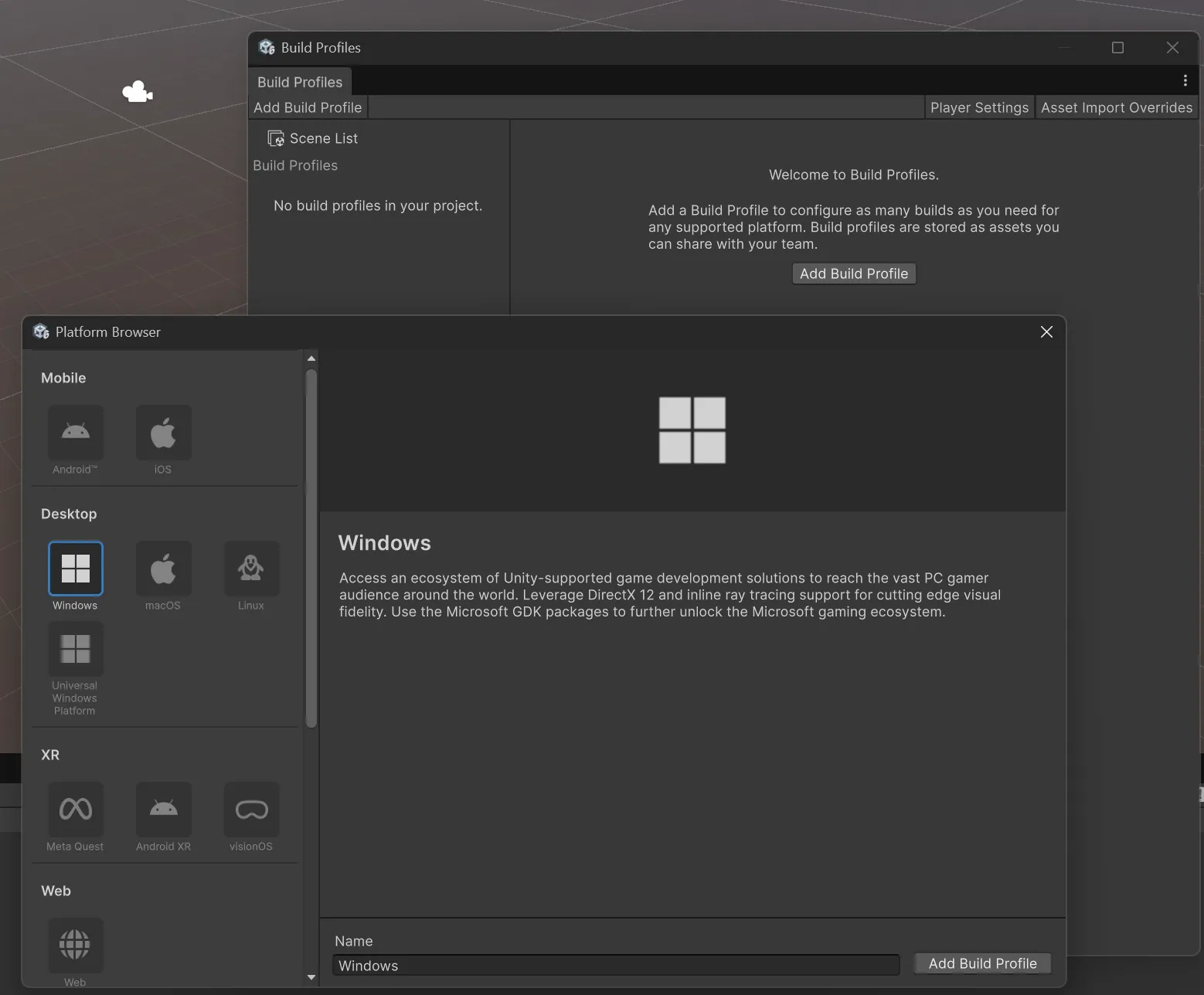
- Select Windows.
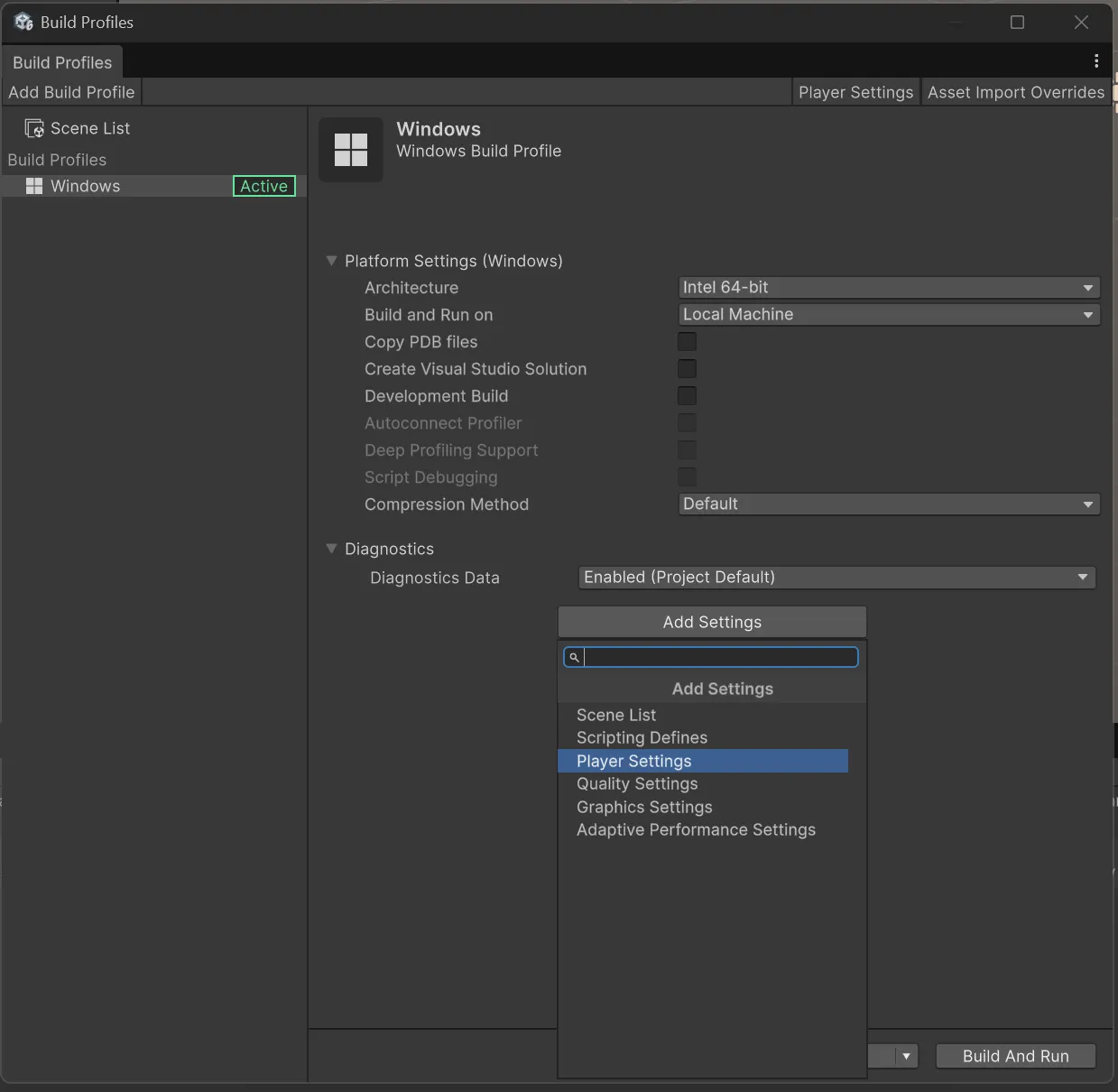
- Add the Player Settings to the Profile.
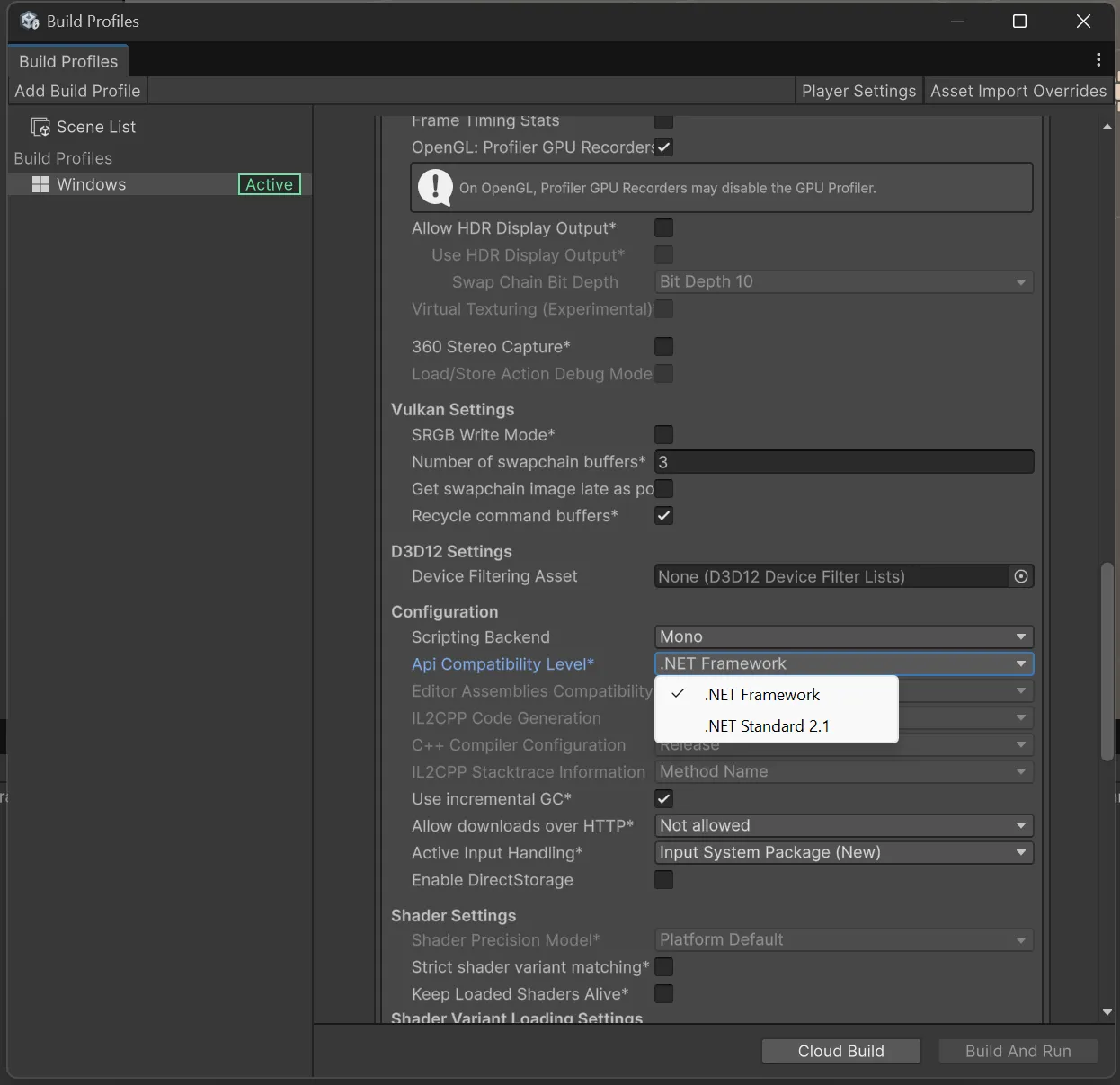
- Set API Compatibility Level to .NET Framework.