

CMOS Battery Check
The CMOS battery is a small coin cell on the server’s motherboard. It keeps the BIOS settings and the system clock while the server has no power. This page shows how to read the battery’s voltage, so you can let Support know if it’s low.
If your server has a System Management Controller (SMC), it’s worth looking in its web interface first. You may be able to see the battery voltage there without restarting the server. If it isn’t shown, or your server doesn’t have an SMC, the BIOS steps below will give you the reading.
Read the battery voltage in the BIOS
Section titled “Read the battery voltage in the BIOS”-
Restart the server.
-
When the Disguise logo appears, keep pressing Delete until the BIOS screen appears. Use the arrow keys to move around the BIOS.
-
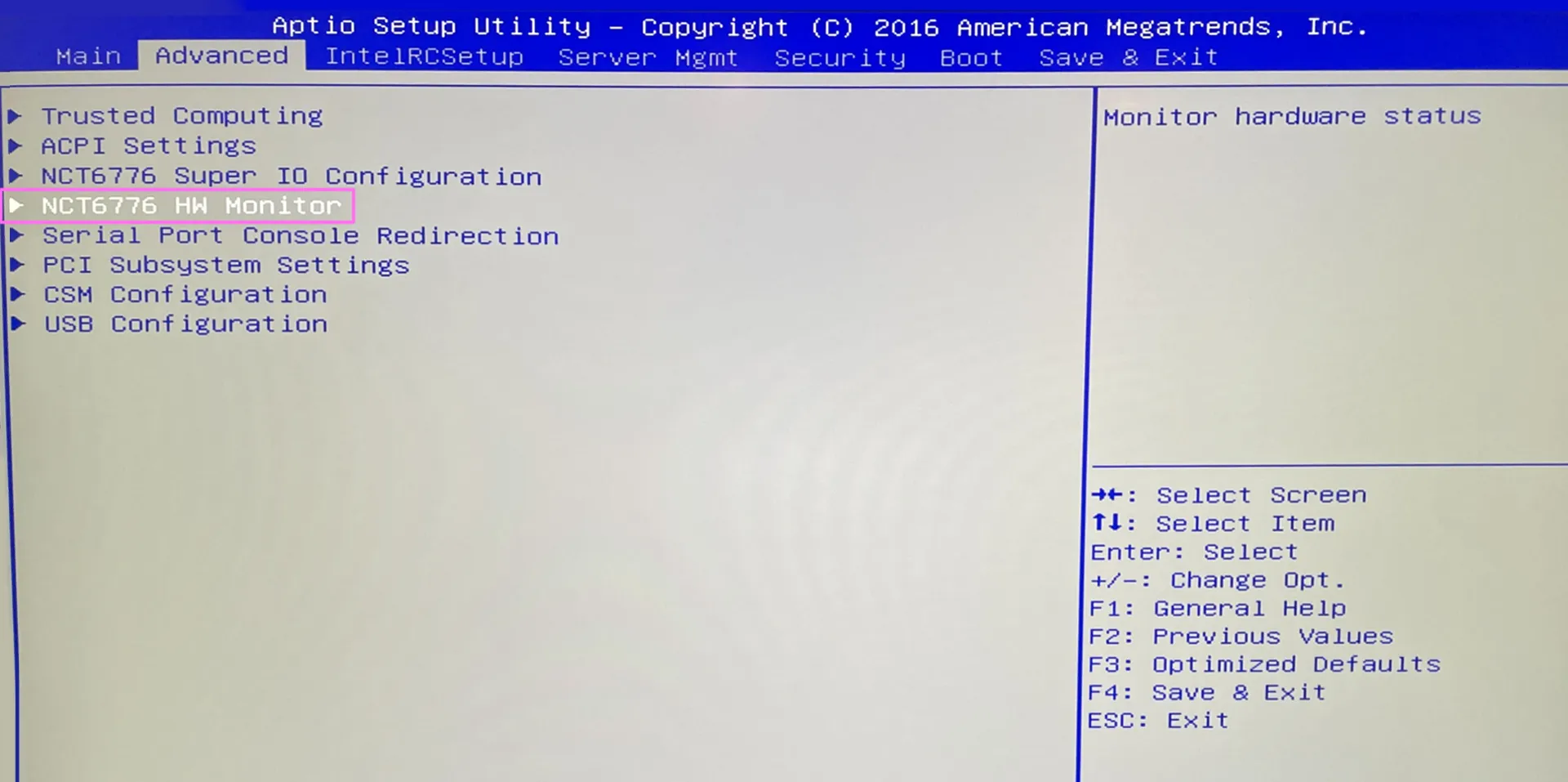
Go to the Advanced tab.
-
Select HW Monitor (shown as NCT6776 HW Monitor on some servers).
-
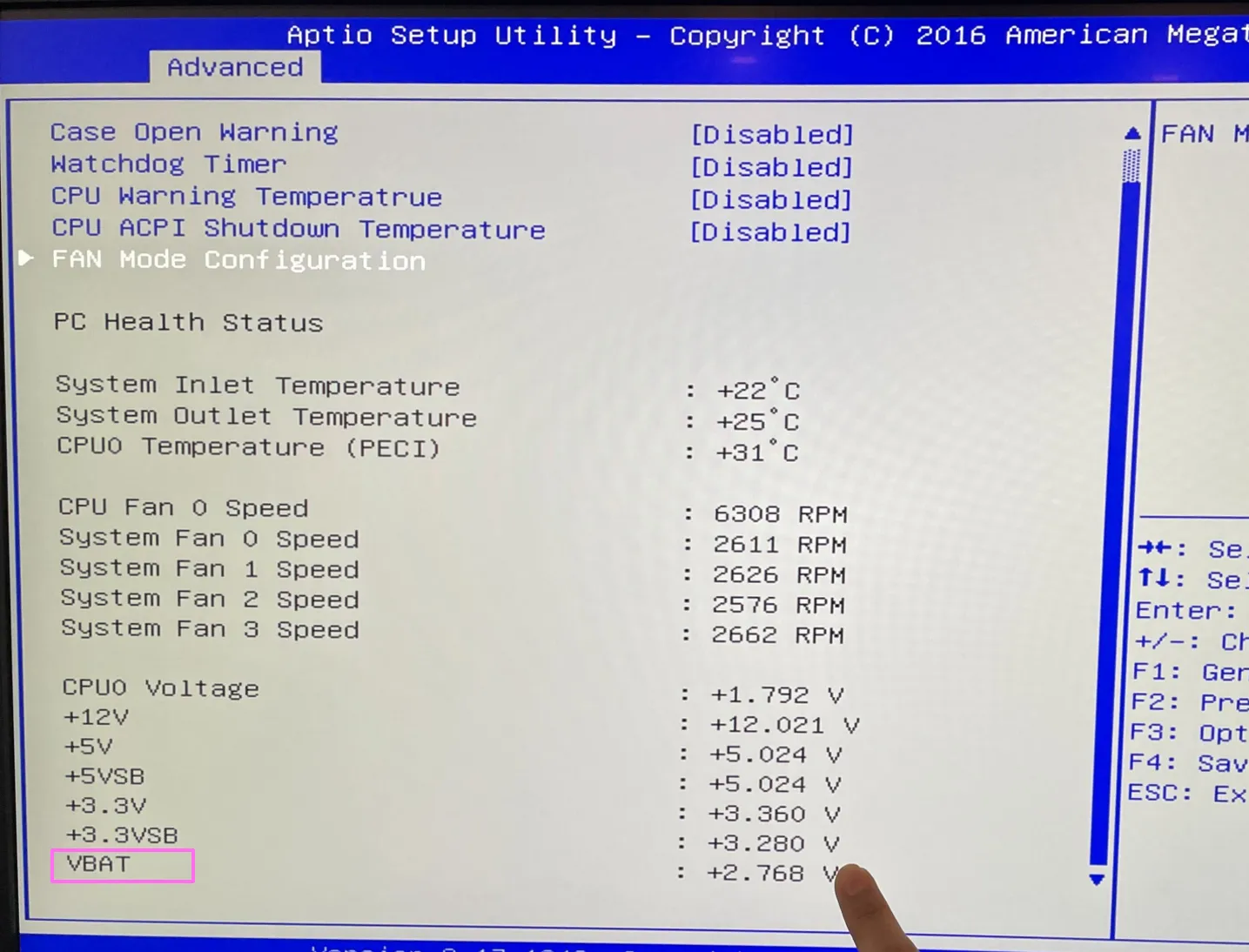
Press the Down Arrow key to scroll to VBAT, under PC Health Status, and read the value next to it.
-
Press ESC to exit the BIOS without saving any changes.
If the battery is low
Section titled “If the battery is low”Contact Disguise Support at support@disguise.one with the server’s serial number and the VBAT reading.
© 2026 Disguise