

レイヤーのロックとアンカー
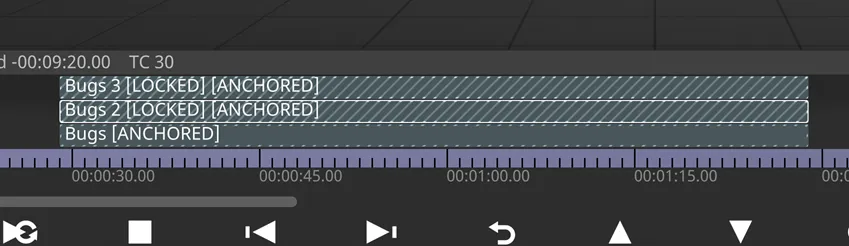
シーケンスされたレイヤーを誤って変更しないように、Designer は 2 種類の制限をサポートしています。ロック(Locking)とアンカー(Anchoring)です。
ロックされたレイヤーは、ロックを解除するまで一切編集できません。一方、アンカーされたレイヤーは、移動・リサイズ・分割はできませんが、それ以外は通常どおり編集できます。レイヤーをロックしても、値やキーフレームイベントは変更されません。
レイヤーはロックとアンカーの両方を設定できます。この場合、ロック以上の効果はありませんが、ロックされたアンカー付きレイヤーは、ロックを解除してもアンカーされたままになります。
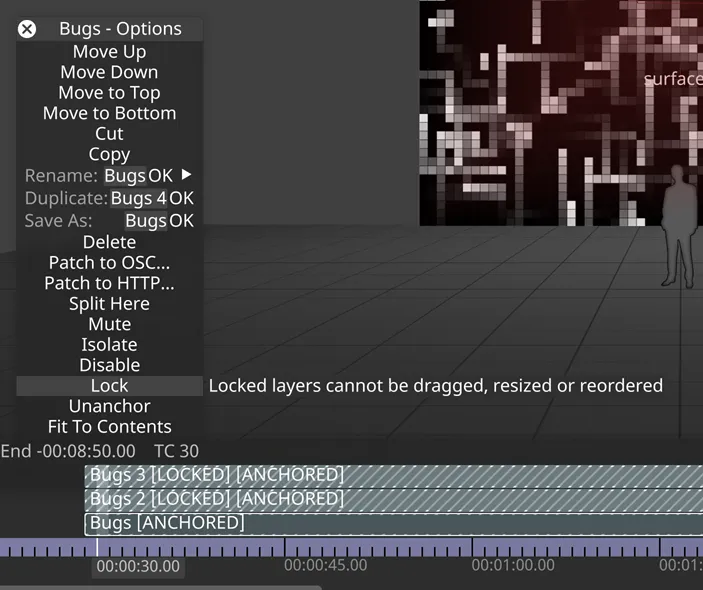
レイヤーをロックまたはアンカーするには
Section titled “レイヤーをロックまたはアンカーするには”- レイヤーを右クリックして Layer(レイヤー)メニューを開きます。
- Lock(ロック)または Anchor(アンカー)を左クリックします。
レイヤーのロックまたはアンカーを解除するには
Section titled “レイヤーのロックまたはアンカーを解除するには”- レイヤーを右クリックして Layer(レイヤー)メニューを開きます。
- Unlock(ロック解除)または Unanchor(アンカー解除)を左クリックします。これにより、レイヤーのロックが解除され、再び編集できるようになります。
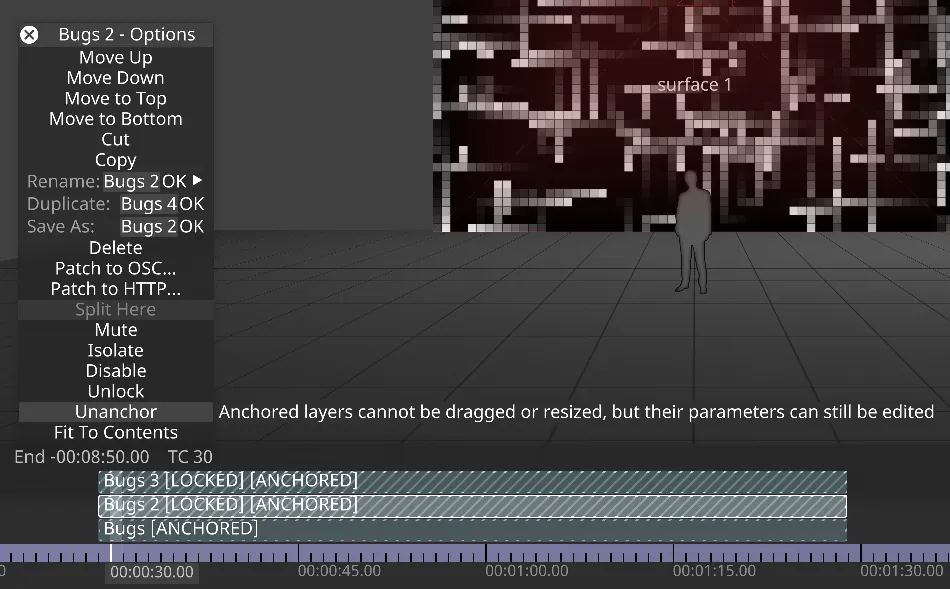
レイヤーは、メインの Layer Editor(レイヤーエディター)でヘッダーを右クリックして、ロックおよびアンカーすることもできます。