

IndirectionControl Layer
Indirection Control レイヤーを使うと、タイムライン上でインダイレクションをシーケンスできます。1 つの Indirection Control レイヤーは 1 つのインダイレクションを制御します。
Indirection Control レイヤーは、2 つの新しいクラスで実装されています。
-
SequencedIndirectionController: インダイレクションを制御するために追加されるコントローラー。
-
IndirectionControl レイヤー: タイムライン上でインダイレクションをシーケンスするために使用するレイヤー。
Indirection Control レイヤーは、新しいキーフレームに到達すると、選択された SequencedIndirectionController を更新します。
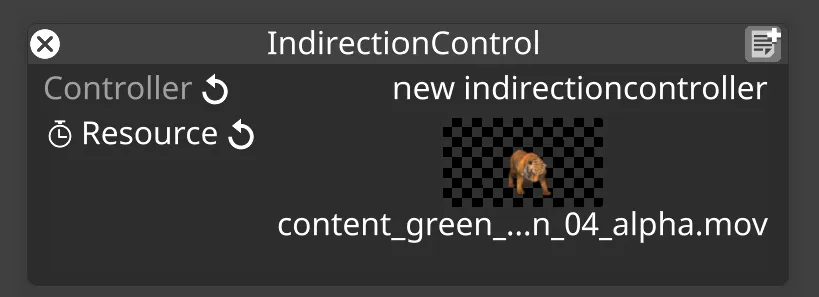
IndirectionControl レイヤーのプロパティ
Section titled “IndirectionControl レイヤーのプロパティ”Controller
Section titled “Controller”SequencedIndirectionController。
Resource
Section titled “Resource”ビデオや 2D 画像などのコンテンツ。
IndirectionController コマンドのシーケンス
Section titled “IndirectionController コマンドのシーケンス”IndirectionControl コマンドの作成 / シーケンスは、Resource キーフレームエディターにキーフレームを配置することで行います。
- Video レイヤーを追加します。
- Video レイヤーエディターで、Media セクションを展開し、None を左クリックして VideoClip エディターを開きます。
- 入力フィールドに入力して OK をクリックし、New indirection を作成します。
- None をクリックし、入力フィールドに入力して OK をクリックすることで、コントローラーを追加します。
- SequenceIndirectionController を選択します。
- Video レイヤーと同じセクションのタイムラインに IndirectionControl レイヤーを作成します。
- SequenceIndirectionController を選択します。
- Resource プロパティのキーフレームエディターをアクティブにします。
- キーフレームエディターにメディアを追加します。
インダイレクションの設定について詳しくは こちら を参照してください。