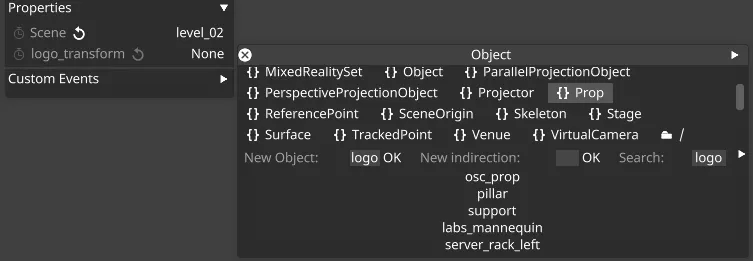
Unity での 3D オブジェクトトランスフォーム
この機能を使うと、null オブジェクトを使って、Unity の GameObject の 3D オブジェクトトランスフォーム(移動、回転、スケール)の全範囲を Designer から制御できます。
Unity GameObject のセットアップ
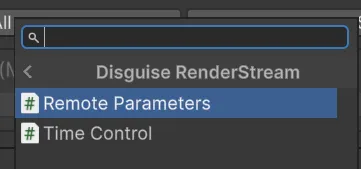
Section titled “Unity GameObject のセットアップ”- Designer 内から GameObject のトランスフォームを制御するには、GameObject を選択し、Disguise RenderStream カテゴリの Remote Parameters コンポーネントを追加します。
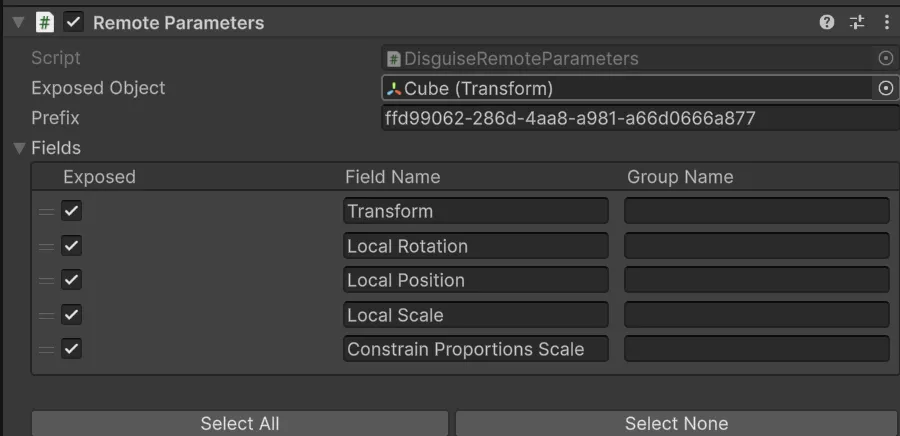
- GameObject の Transform コンポーネントを、Remote Parameters コンポーネントの Exposed Object 変数にドラッグします。必要なトランスフォームのパラメーターを有効または無効にします。デフォルトでは、Transform、Local Rotation、Local Position、Local Scale、Constrain Proportions Scale が自動的に公開されます。
- プロジェクトを保存して ビルドします。
- これで、RenderStream Layer Properties タブ内からトランスフォームをリンクする prop を選択することで、Designer 内から GameObject を制御できます。