Gain Structure for RME HDSPe AIO Pro Audio Cards
このコンテンツはまだ日本語訳がありません。
Disguise media servers have one of two RME audio cards: the RME HDSPe AIO (AIO) or its successor, the RME HDSPe AIO Pro (AIO Pro). The two cards have a different gain structure, so the same audio signal can play at different levels on different servers. This matters when a session includes servers with both cards.
RME audio cards in Disguise servers
Section titled “RME audio cards in Disguise servers”Disguise specifies RME audio cards as standard on its current VX and GX range media servers, and previously specified them on its pro range media servers.
In 2020, RME moved the AIO to end of production sooner than expected, so Disguise now specifies the AIO Pro. The AIO Pro has the same inputs and outputs as the AIO:
- Balanced XLR: 2 in, 2 out
- 1/4-inch (6.3 mm) headphone jack: 1 out
- ADAT/SPDIF: 1 in, 1 out
- MIDI: 1 in, 1 out
| Server | Audio card |
|---|---|
| Solo | AIO (optional) |
| 2x2plus | AIO (optional) |
| 2x4pro | AIO |
| 4x2pro | AIO |
| 4x4pro | AIO |
| VX 1 | AIO or AIO Pro |
| VX 2 | AIO or AIO Pro |
| VX 2+ | AIO Pro |
| VX 4 | AIO or AIO Pro |
| VX 4+ | AIO Pro |
| GX 2 | AIO |
| GX 2C | AIO or AIO Pro |
| GX 3 | AIO Pro |
Servers listed with both cards shipped with either one, as the AIO reached end of production during the product’s lifecycle.
To check which card a server has, open Hammerfall DSP Settings (see Match levels across AIO and AIO Pro servers). The first tab is named after the card: AIO or AIO Pro.
Level settings
Section titled “Level settings”The AIO offers three analogue level options, which set 0 dBFS (digital full scale) at +4, +13 or +19 dBu. The AIO Pro adds a fourth, +24 dBu, for better interoperability with professional audio equipment.
The two cards label these options differently. The AIO labels them by nominal level (Lo Gain or Hi Gain, +4 dBu and -10 dBV). The AIO Pro labels them by the level at 0 dBFS (+24 dBu, +19 dBu, +13 dBu and +4 dBu). So the AIO’s +4 dBu setting matches the AIO Pro’s +13 dBu, not its +4 dBu. RME lists the old and new names in the HDSPe AIO Pro manual.
Match levels across AIO and AIO Pro servers
Section titled “Match levels across AIO and AIO Pro servers”If a session includes servers with both cards (for example, a GX 2C with an AIO and a GX 3), use these settings:
| Setting | AIO | AIO Pro |
|---|---|---|
| Input Level | +4 dBu | +13 dBu |
| Output Level | +4 dBu | +13 dBu |
| Breakout cable | Breakout Cable: XLR checked | Analog I/O: XLR |
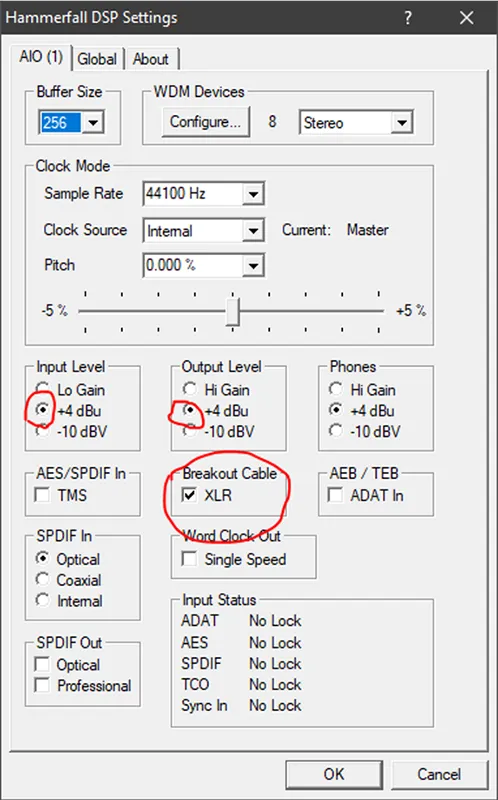
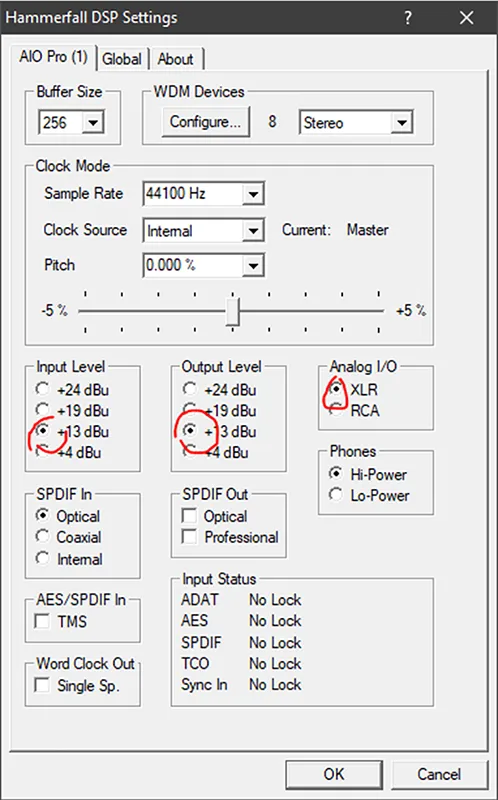
To match the levels:
-
On each server, right-click the Hammerfall DSP icon in the system tray and select Settings. The first tab shows which card the server has.
-
On a server with an AIO Pro, set Input Level and Output Level to +13 dBu.
-
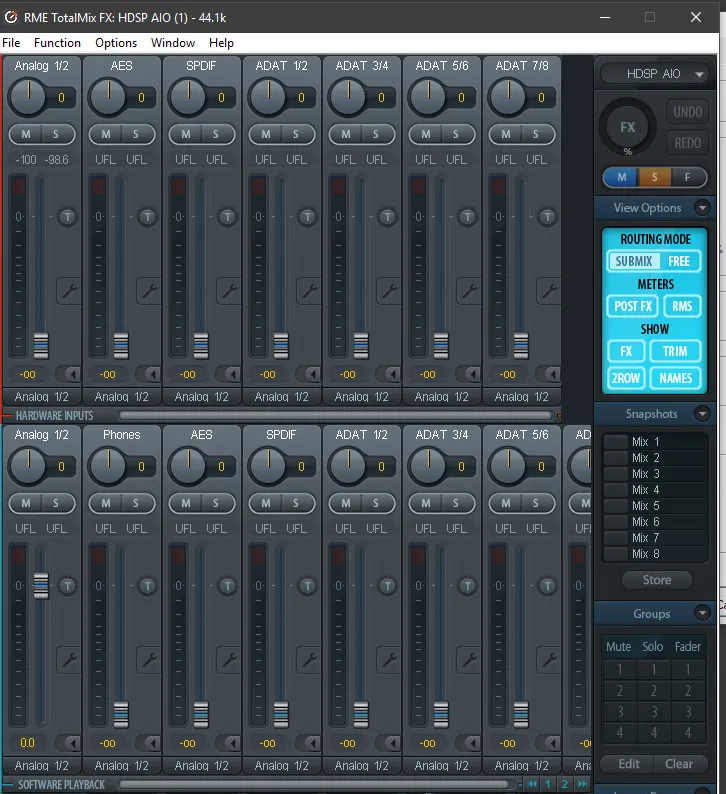
Check the audio signal in RME TotalMix FX.